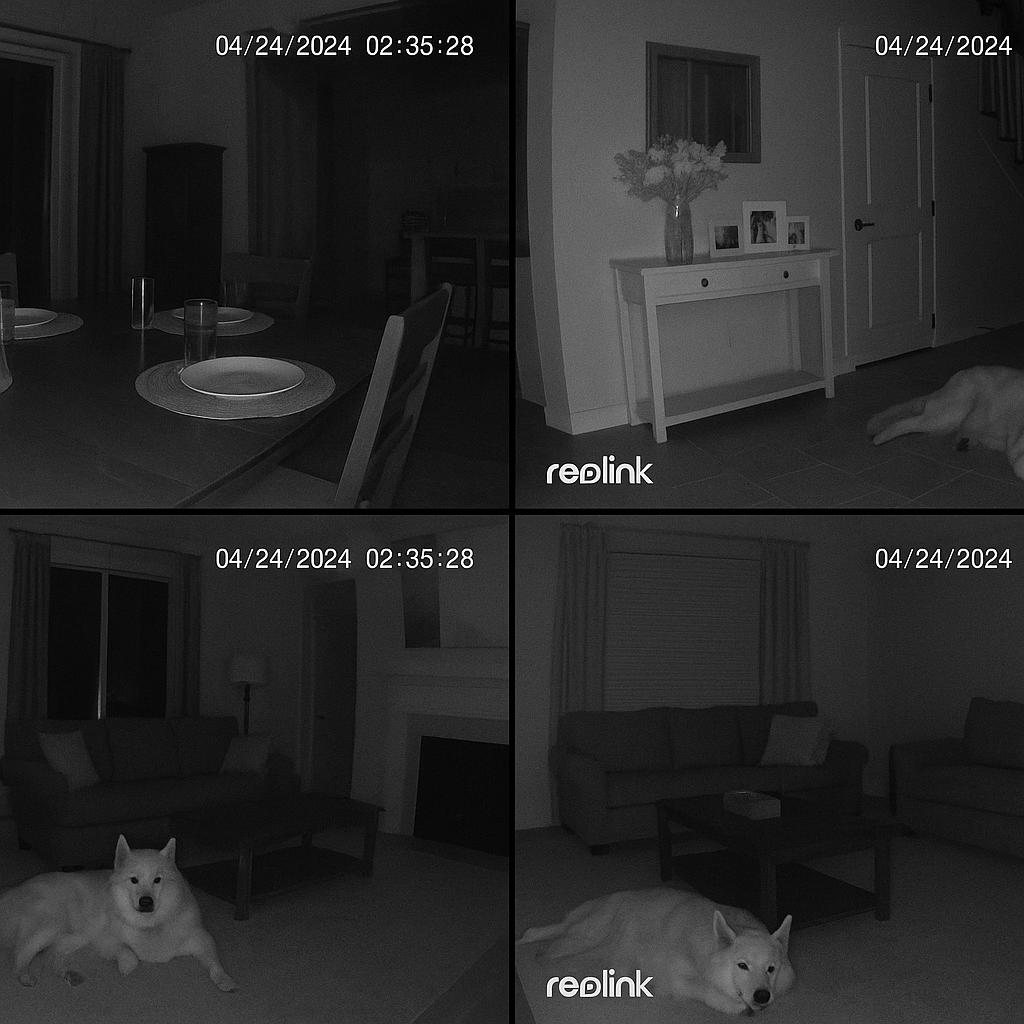
Complete Reolink Setup Guide UK 2026
Reolink is the go-to brand for serious UK home CCTV in 2026 — and for good reason. The cameras are affordable, the image quality is excellent, the PoE support is rock solid, and Home Assistant integration works out of the box. But with so many models, a confusing NVR lineup, and PoE switches to factor in, building a Reolink system from scratch can feel overwhelming.
This guide covers everything: which cameras to buy, how to pick an NVR, which PoE switch to pair it with, and how to get the whole lot running in Home Assistant.
If your end goal is pet monitoring rather than a standalone camera install, start with our Home Assistant Pet Monitoring Guide first; if you're still comparing ecosystems, use the Best PoE Security Cameras UK 2025 guide before committing to a Reolink-specific setup.
Selling recurring access or cloud features?
If your camera stack includes app access, remote viewing, or monitoring plans, the subscription retention audit can expose the friction before it hurts renewals.
Book the auditWant a second pass on renewals?
If your setup includes subscriptions, remote viewing, or paid support, the subscription retention audit can catch the friction that drives cancellations.
Book the auditWorking out the wiring first?
Before you lock in cameras or an NVR, check the PoE budget and compare switch options so the build scales cleanly.
Before jumping into the setup, it's worth knowing why Reolink dominates the UK home security market right now:
- Price vs performance — Reolink cameras routinely beat competitors twice the price on image quality
- PoE-first — most of their range supports Power over Ethernet, meaning one cable for power and data
- No mandatory subscription — local recording is fully supported with no cloud lock-in
- Home Assistant integration — native RTSP streams and an official HA integration mean you can fully automate your system
- UK availability — widely stocked on Amazon UK with fast delivery
Step 1: Choose Your Cameras
The right camera depends on your use case. Here's the Reolink lineup broken down for UK buyers:
Comparison Table: Reolink Cameras UK 2026
| Camera | Type | Resolution | FOV | PoE | Price (UK) | Best For |
|---|---|---|---|---|---|---|
| Reolink Fisheye PoE | 180° indoor | 4K | 180° | Yes | ~£150 | Whole-room coverage |
| Reolink RLC-811A | Bullet | 4K (8MP) | 31°–110° | Yes | ~£120 | Zoomed detail |
| Reolink RLC-823A | PTZ | 4K | 360° + 5x optical zoom | Yes | ~£300 | Driveway/gate coverage |
| Reolink Doorbell | Video doorbell | 4K | 160° | Yes (via power kit) | ~£120 | Front door monitoring |
| Reolink TrackMix | Dual-lens | 4K + 6x zoom | 360° | Yes | ~£200 | Following subjects |
Our recommendation: Start with the Reolink Fisheye PoE comparison for indoor monitoring, then add outdoor cameras as needed.
Step 2: Do You Need an NVR?
The NVR question trips up most buyers. Here's the straight answer:
| Setup | NVR? | Best For |
|---|---|---|
| 1–2 cameras, Home Assistant only | No | Simple monitoring, motion alerts |
| 3+ cameras, 24/7 recording | Yes | Proper CCTV with backup |
| Mix of camera brands | Yes | Centralised recording |
| Remote viewing priority | Maybe | Reolink app works with or without NVR |
Which Reolink NVR Should You Buy?
RLN36 (36-channel) — The serious choice for home labs
- 36 camera inputs (overkill for most homes, but room to grow)
- No built-in PoE (you need a separate switch)
- 4 SATA bays for massive storage
- Read our full Reolink RLN36 NVR breakdown for the full breakdown
RLN8-410 (8-channel) — The practical choice for most homes
- Built-in 8-port PoE switch
- 2 SATA bays
- Enough for most home setups
- Plug-and-play with Reolink cameras
RLN16-410 (16-channel) — The middle ground
- Built-in 16-port PoE switch
- 2 SATA bays
- Good for larger properties or future expansion
Step 3: Choose Your PoE Switch
If you're going the NVR route (RLN36 or similar), you'll need a PoE switch. Here's what works:
Our Tested PoE Switch Recommendations
| Switch | Ports | PoE Budget | Price (UK) | Notes |
|---|---|---|---|---|
| Yuanley 18-port PoE+ | 16 PoE + 2 Uplink | 250W | ~£70 | Quiet, reliable, excellent value |
| GigaPlus 2.5G PoE+ | 8 PoE + 2 SFP | 120W | ~£85 | 2.5G support, good for high-res streams |
Read our breakdowns: Yuanley 18-port switch guide | GigaPlus 2.5G switch guide
Key point: Reolink cameras use ~5–7W each. A 250W switch can handle 16 cameras easily with headroom.
Step 4: Home Assistant Integration
Reolink cameras work brilliantly with Home Assistant. Here's the quick setup:
Method 1: Reolink Integration (Easiest)
- Go to Settings → Devices & Services → Add Integration
- Search "Reolink"
- Enter your camera's IP address
- Provide username/password
- Done — you get entities for motion detection, AI person/vehicle/pet detection, and camera streams
Method 2: Generic Camera (If integration fails)
- Add the Generic Camera integration
- Use the RTSP URL:
rtsp://[camera-ip]:554/h264Preview_01_main - For substream:
rtsp://[camera-ip]:554/h264Preview_01_sub
Motion alerts in Home Assistant: The Reolink integration exposes motion events as binary sensors. You can trigger automations like "When person detected on front camera, send notification to phone."
Step 5: Wiring & Installation Tips
Cable Choice
- Cat5e — Minimum, fine for 1080p cameras
- Cat6 — Recommended, better for 4K and future-proofing
- Cat6a — Overkill for most homes but good for long runs
Maximum Cable Length
- PoE cameras: up to 100m per cable run (standard Ethernet limit)
- If your camera is further, add a PoE extender or run power separately
IP Addressing
Put cameras on a dedicated VLAN or subnet if possible. This keeps your CCTV traffic separate from your main network and adds a layer of security.
Frequently Asked Questions
What is PoE?
Power over Ethernet (PoE) sends power and data down the same Ethernet cable. It means you only run one cable to each camera — no separate power supply needed.
Is Reolink worth it?
For home CCTV in the UK, yes. Reolink cameras offer excellent image quality, solid build quality, and great value. The lack of forced cloud subscriptions is a big plus over competitors like Ring or Nest.
Does Reolink work without internet?
Yes — local recording to an NVR or SD card works without internet. You'll need internet for remote viewing via the Reolink app, but the cameras continue recording locally if your connection drops.
What's the difference between Reolink NVR and cameras with SD cards?
SD cards in cameras store footage locally per camera. An NVR centralises all footage, offers more storage, and makes playback easier. For 2+ cameras, an NVR is worth it.
Can I use Reolink cameras with other brands?
Yes, if they support ONVIF. The RLN36 NVR supports ONVIF, so you can mix Reolink cameras with Hikvision, Annke, or other brands that follow the standard.
How does Reolink compare to Hikvision?
Reolink is cheaper and simpler; Hikvision has more advanced features and wider compatibility but costs more. Read our full Reolink vs Hikvision UK 2026 comparison for the detailed breakdown.
The Complete Reolink Shopping List
Building from scratch? Here's what we recommend:
| Item | Product | Price |
|---|---|---|
| Indoor camera | Reolink Fisheye PoE | ~£150 |
| NVR | Reolink RLN36 | ~£200 |
| PoE switch | Yuanley 18-port | ~£70 |
| Cable | Cat6 Ethernet (100m reel) | ~£40 |
| Hard drive | WD Purple 4TB | ~£80 |
Total: ~£540 for a complete 4K home CCTV system with room to grow.
Related guides and comparisons on filce.uk
- Reolink Fisheye Camera comparison — 180° coverage tested for pet monitoring
- Reolink RLN36 NVR breakdown — 36-channel recorder for serious setups
- Reolink vs Hikvision UK 2026 — Which brand should you buy?
- Yuanley 18-port switch guide — Budget PoE switch tested
- GigaPlus 2.5G PoE Switch guide — 2.5G switch for high-bandwidth setups
- Best PoE Security Cameras UK 2025 — Our top picks across brands
- Best NVR for Home CCTV UK 2026 — NVR buying guide
- Home Assistant Pet Monitoring Guide — Set up pet alerts with Reolink
Last updated: April 2026. Prices are estimates based on Amazon UK listings. This page contains affiliate links — we earn a small commission if you purchase through them, at no extra cost to you.