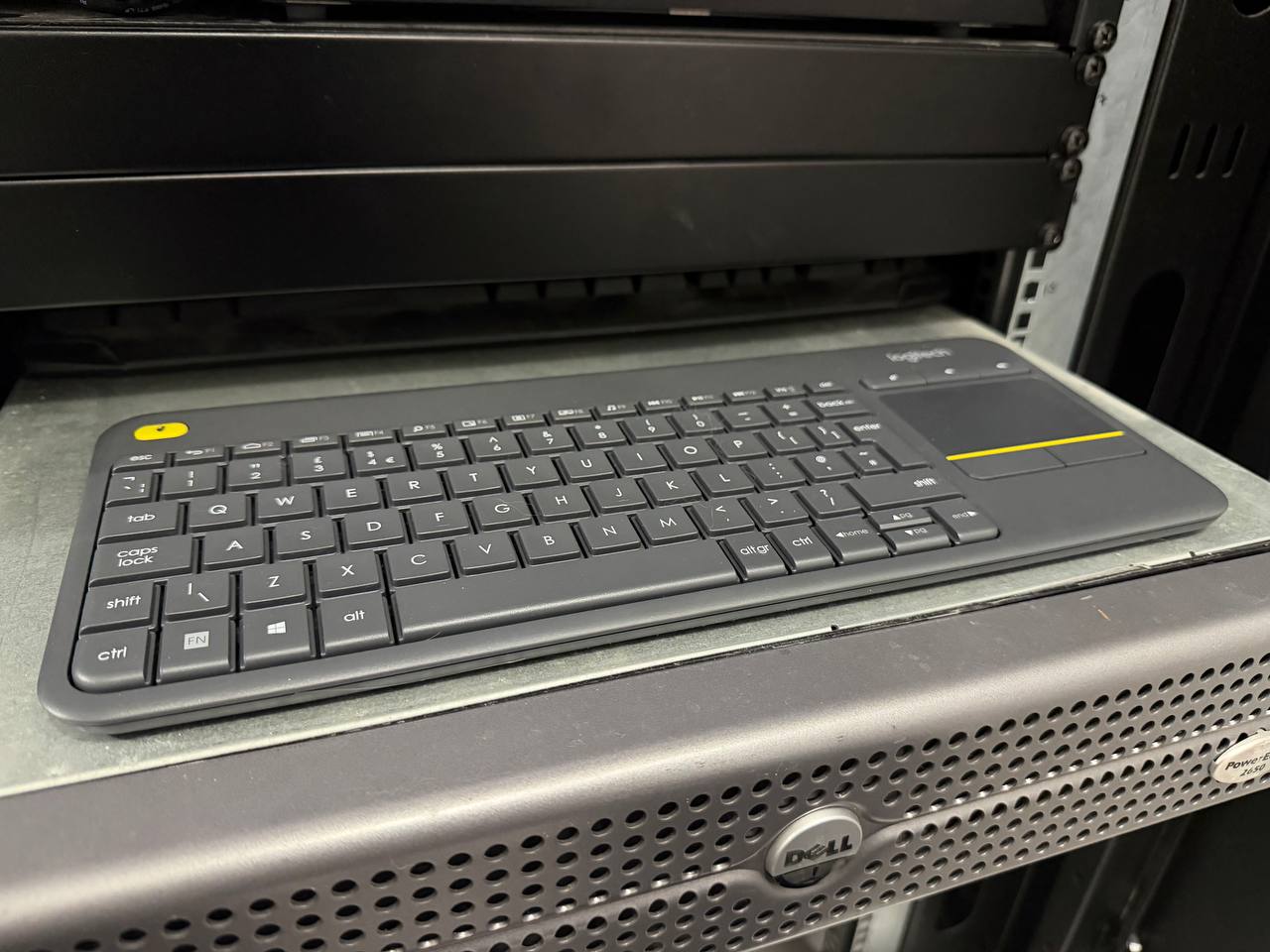
Logitech K400 Plus Wireless Keyboard Review
Rating: ⭐⭐⭐⭐ (4/5)
If your product, app, or support flow depends on recurring revenue, the subscription retention audit can surface the friction before it quietly costs renewals.
Book the auditThe Use Case
This keyboard lives in my server cabinet, resting on top of a Dell PowerEdge server. When I need to do anything hands-on with the homelab — initial Unraid setup, BIOS changes, troubleshooting a node — I grab it, do the work, and put it back.
Before this I was either dragging a full keyboard and mouse over every time, or leaning over awkwardly with whatever was closest. The K400 fixes that completely.
What It Is
The K400 Plus is a compact wireless keyboard with a built-in touchpad on the right side. It connects via a tiny USB receiver (Logitech's Unifying receiver) — no Bluetooth pairing, just plug in and it works. Range is around 10 metres, which is more than enough for any normal room or cabinet situation.
It runs on 2 AA batteries rated for up to 18 months. No charging cable, no battery anxiety.
Size and Portability
This is where it earns its place. It's slim, lightweight, and genuinely portable in a way that full-size keyboards aren't. You can pick it up with one hand, tuck it under your arm, carry it to the rack. It fits on a server shelf without overhanging.
The compact layout does mean some compromises — no number pad, and some function keys are shared. For homelab work (typing commands, navigating a UI) it's not an issue. For heavy text editing or spreadsheets you'd want something bigger.
The Trackpad
The integrated trackpad is small — noticeably smaller than a MacBook trackpad. If you're used to Apple's generous trackpad sizing, this will feel cramped initially.
That said, it's perfectly usable for the kind of work you do at a server: navigating a UI, clicking through menus, scrolling. It's not for precision creative work, but for homelab and media centre use it does the job without needing to reach for a mouse.
Tap-to-click works, two-finger scrolling works. Response is acceptable. It's not premium, but it's functional — which is all you need when you're updating Unraid or checking a container.
Real-World Use
I've used this for:
- Setting up Unraid and managing the dashboard
- Initial BIOS configuration on new hardware
- Managing Home Assistant from the cabinet
- Occasional media centre control
For all of these it's been reliable. The wireless connection hasn't dropped, the battery lasts well, and the convenience of having it sitting ready in the rack is hard to overstate.
Verdict
It's not a premium keyboard. The trackpad is small, the key travel is shallow, and it won't replace your main setup. But that's not what it's for.
As a dedicated homelab or media centre keyboard — something compact, wireless, and self-contained that you pick up when you need it — it's excellent value and does exactly what it promises.
If you've got a home server rack, a Raspberry Pi setup, or a media PC, this is the keyboard to have next to it. And if you're tightening up recurring revenue around a product or membership flow, the subscription retention audit is the next practical check.
Where to Buy
Related reads:
As an Amazon Associate I earn from qualifying purchases. This keyboard was bought with my own money.