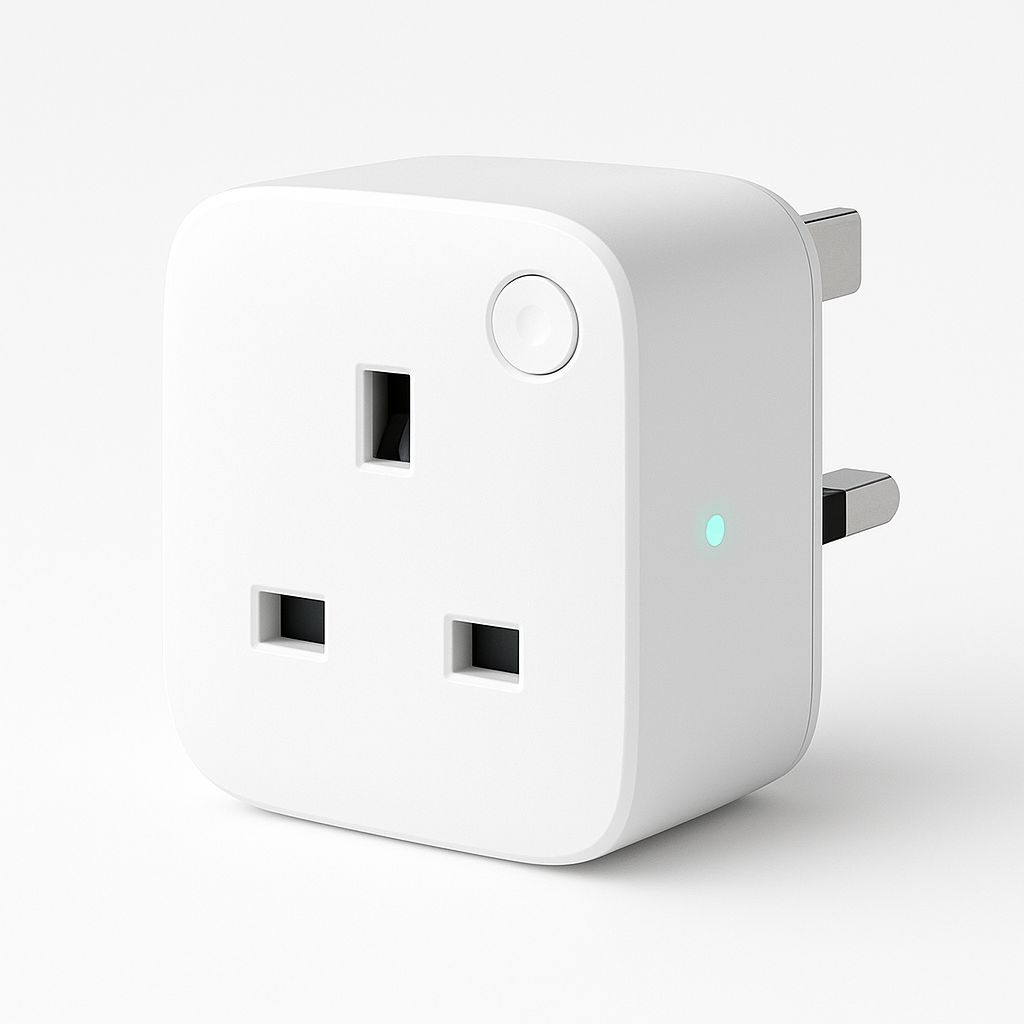
Best Smart Plugs UK 2025
Last updated: April 2025 | Tested in a real UK home with Home Assistant
Smart plugs are the easiest entry point into home automation. Plug one in, connect it to an app, and you've got remote control, scheduling, and — depending on the model — energy monitoring for whatever's plugged in. I've tested the most popular options available in the UK to find which ones are actually worth buying in 2025. If you also sell subscriptions and want a second opinion on retention, cancellation friction, or audit-ready flows, take the subscription retention audit. But not all smart plugs are equal.
Selling a subscription around energy insights?
Smart-plug buyers care about energy monitoring, automation reliability, and running costs. If your product depends on recurring revenue, the subscription retention audit can surface the friction that quietly hurts renewals.
Book the auditQuick Comparison Table
| Product | Price | Energy Monitoring | Protocol | Home Assistant | Best For |
|---|---|---|---|---|---|
| Pet monitoring CTA | — | — | — | If your real goal is keeping an eye on pets, start with the Home Assistant pet monitoring guide before buying smart plug hardware | — |
| TP-Link Tapo P110 | ~£16 | ✅ Yes | WiFi | ✅ Native | Best all-rounder |
| Amazon Smart Plug | ~£25 | ❌ No | WiFi | ⚠️ Via Alexa | Alexa households |
| Meross Smart Plug | ~£15 | ✅ Yes | WiFi | ✅ Native | Multi-plug value |
| IKEA TRÅDFRI Outlet | ~£15 | ❌ No | Zigbee | ✅ Excellent | Zigbee mesh builders |
Why Smart Plugs Still Matter in 2025
You might think smart plugs are old news. They're not. They solve a real, persistent problem: most appliances — lamps, fans, heaters, kettles — have no smart capability built in. Smart plugs retrofit intelligence onto anything with a mains plug.
In 2025 the use cases have expanded too. Energy prices are still elevated across the UK, and energy-monitoring smart plugs have become genuinely useful tools for finding out exactly what's costing you money. My tumble dryer notification (triggered by the Tapo P110 detecting the motor stopping) is one of the most-used automations in my home.
1. TP-Link Tapo P110 — Best Overall
➡️ Check current price on Amazon UK
The P110 is the smart plug I recommend to almost everyone. It hits a rare combination of low price, reliable performance, and genuine energy monitoring.
What Makes It Stand Out
Energy monitoring that's actually accurate
The P110 tracks real-time wattage, daily kWh, and monthly totals. I've used mine to discover that my old kettle was using 25% more power than I thought, and that a "standby" device was pulling 8W constantly. These insights pay for the plug quickly.
Home Assistant integration out of the box
The Tapo integration in Home Assistant is first-class. You get energy sensors, on/off control, and the ability to build automations around power consumption. It's how I built a "washing machine finished" notification that triggers when wattage drops below 5W.
Compact design
The P110 is one of the smaller smart plugs available, which matters when you're using a double socket — it doesn't block the second outlet.
Pros
- Accurate energy monitoring included
- Compact, doesn't block adjacent sockets
- Excellent Home Assistant integration
- Responsive app (Tapo) with solid scheduling
- Affordable — often under £15
Cons
- WiFi only (not Zigbee — not ideal for large mesh networks)
- Requires cloud account for initial setup (can then go local via HA)
- Occasional firmware updates can temporarily disrupt local control
Verdict
Best overall. If you buy one smart plug this year, make it the Tapo P110.
2. Amazon Smart Plug — Best for Alexa Users
➡️ Check current price on Amazon UK
Amazon's own smart plug is engineered for one ecosystem: Alexa. If your home runs on Alexa and you don't need energy monitoring, it's seamless.
What Makes It Stand Out
Zero-friction Alexa setup
Plug it in, say "Alexa, discover devices." Done. There's no app, no account creation beyond your existing Amazon account, no faff. For non-technical family members, this is the simplest possible experience.
Rock-solid Alexa routines
Because it's made by Amazon, it's deeply integrated. Alexa routines trigger instantly, voice control is reliable, and it just works within the Alexa ecosystem.
Pros
- Fastest Alexa setup of any smart plug
- Reliable in Alexa routines
- No additional app needed
- Compact, square design
Cons
- No energy monitoring whatsoever
- Requires Alexa — not useful without it
- Limited Home Assistant support (only via Alexa skill, not local)
- More expensive than the Tapo for fewer features
Verdict
Best if you're all-in on Alexa and don't want energy monitoring. Not the right choice for Home Assistant users.
3. Meross Smart Plug — Best Value Multi-Pack
➡️ Check current price on Amazon UK
Meross has quietly become one of the most capable smart plug brands in the UK. Their energy-monitoring plugs offer similar functionality to the Tapo at a competitive price, and they work with Apple HomeKit too.
What Makes It Stand Out
Apple HomeKit support
Meross is one of the few affordable brands that supports HomeKit natively. If your household mixes iPhones and uses Siri/Apple Home, Meross plugs just work — no bridge required.
Works with Alexa, Google, and HomeKit
Meross covers all three major ecosystems. This is useful in a mixed household or if you're not sure which direction your smart home is heading.
Energy monitoring on most models
The MSS310 and similar models include energy monitoring comparable to the Tapo P110. Real-time watts, historical data, consumption alerts.
Pros
- Apple HomeKit support (rare at this price)
- Multi-ecosystem: Alexa, Google, HomeKit
- Energy monitoring available
- Solid Home Assistant integration
- Good value in multi-packs
Cons
- App (Meross) is less polished than Tapo
- Some models look bulkier in sockets
- Cloud dependency similar to Tapo for initial setup
Verdict
Best if you use Apple HomeKit or want multi-ecosystem flexibility. Excellent value in multi-packs.
4. IKEA TRÅDFRI Smart Outlet — Best for Zigbee Setups
➡️ Check current price on Amazon UK
The IKEA TRÅDFRI outlet isn't for everyone. It requires the IKEA Hub or a Zigbee coordinator to function. But if you're already running a Zigbee network — especially with Home Assistant — it's an excellent, locally-controlled option.
What Makes It Stand Out
Zigbee = local control, no cloud
Unlike WiFi smart plugs, Zigbee devices run entirely locally once paired. No cloud dependency, no account required, no privacy concerns. If your internet goes down, your smart plugs still work.
Acts as a Zigbee router
The TRÅDFRI outlet extends your Zigbee mesh. Every mains-powered Zigbee device you add strengthens the network for battery-powered devices like sensors and remotes. This is genuinely valuable in a larger home.
Pairs instantly with Home Assistant (ZHA / Zigbee2MQTT)
In a ZHA or Zigbee2MQTT setup, the IKEA outlet pairs in seconds and presents clean, reliable on/off control.
Pros
- Full local control — no cloud, no internet required
- Extends Zigbee mesh (benefits other devices)
- Works directly with Home Assistant ZHA and Zigbee2MQTT
- Compact, slim design for IKEA
- Affordable
Cons
- No energy monitoring
- Requires Zigbee hub or coordinator (extra cost if starting from scratch)
- Limited app experience without IKEA ecosystem
- Not ideal as a standalone purchase
Verdict
Best for Zigbee Home Assistant setups. If you're already invested in Zigbee, add these throughout your home to strengthen the mesh.
How to Choose the Right Smart Plug
Go for the TP-Link Tapo P110 if:
- You want energy monitoring
- You use Home Assistant
- You want the best balance of price and features
Go for the Amazon Smart Plug if:
- You're all-in on Alexa
- Simplicity matters more than energy data
Go for the Meross if:
- You use Apple HomeKit
- You want multi-ecosystem flexibility
- You're buying multiple plugs (multi-packs are good value)
Go for the IKEA TRÅDFRI outlet if:
- You're building a Zigbee network
- You want fully local control
- You already have a Zigbee coordinator
Energy Monitoring: Why It Matters
UK energy prices have been volatile. Smart plugs with energy monitoring turn your home into a sensor network for electricity usage. In my house, energy-monitoring plugs revealed:
- A slow cooker left on standby pulling 12W constantly
- The tumble dryer using 60% more energy than labelled
- A "vampire" device drawing 18W in standby mode
Over a year, identifying and fixing those inefficiencies saved meaningfully on bills. The plugs paid for themselves.
See how I use energy data in my home automation setup: Home Automation Starter Checklist and Home Assistant Guide.
Setting Up Smart Plugs with Home Assistant
For Home Assistant users, smart plug integration is powerful. A few automations worth building:
Appliance finished notification — When wattage drops to near-zero, send a notification. Works for washing machines, tumble dryers, dishwashers.
Standby energy alerts — Trigger an alert if a device is pulling more than 5W in standby overnight.
Morning coffee automation — Turn on the kettle socket at 7:00 AM on weekdays, then off 10 minutes later.
For a full guide to Home Assistant setup, see: Home Assistant Guide.
Where to Buy
| Product | Amazon UK Link |
|---|---|
| TP-Link Tapo P110 | Buy on Amazon |
| Amazon Smart Plug | Buy on Amazon |
| Meross Smart Plug | Buy on Amazon |
| IKEA TRÅDFRI Outlet | Buy on Amazon |
FAQ
Which smart plug is best for UK homes in 2025?
The TP-Link Tapo P110 is the best smart plug for most UK homes in 2025. It offers energy monitoring, reliable WiFi connectivity, a compact design, and excellent Home Assistant integration — all for around £15–16. It's the smart plug I recommend to beginners and experienced home automation enthusiasts alike.
Do smart plugs work without the internet?
Most WiFi smart plugs require internet for initial setup and cloud-based control. However, Zigbee smart plugs like the IKEA TRÅDFRI outlet work fully locally. WiFi plugs like the Tapo P110 can also be controlled locally via Home Assistant once configured, bypassing the cloud entirely.
Can smart plugs really save money on energy bills?
Yes — specifically smart plugs with energy monitoring. By identifying devices with high standby consumption or unexpected usage patterns, you can make informed decisions about usage habits. In my home, energy-monitoring smart plugs have identified hundreds of pounds of annual waste.
Are smart plugs safe to leave on permanently?
Smart plugs from reputable brands (TP-Link, Meross, Amazon) are tested to UK/EU safety standards and safe to leave plugged in. Always check the plug's rated wattage limit (typically 2300W for UK sockets) and don't exceed it with high-draw appliances like electric heaters.
What's the difference between WiFi and Zigbee smart plugs?
WiFi smart plugs connect directly to your home router — easy setup but adds to WiFi congestion and depends on cloud/internet. Zigbee plugs connect to a Zigbee coordinator and operate locally with lower latency and no cloud dependency. Zigbee plugs also extend the mesh network, which improves reliability for other Zigbee devices.
Ready to Build Your Smart Home?
Smart plugs are just the start. Once you've got a few installed, you'll want to connect them into a broader system. Here's where to go next:
→ Home Automation Starter Checklist — Everything you need to start your smart home the right way, in the right order.
→ Home Assistant Guide — Set up the most powerful free home automation platform available.
→ Best Zigbee Sensors UK 2025 — Pair sensors with your smart plugs for truly intelligent automations.
Disclosure: Some links are Amazon affiliate links. As an Amazon Associate I earn from qualifying purchases — at no extra cost to you. All reviews are based on real-world testing and independent opinion.