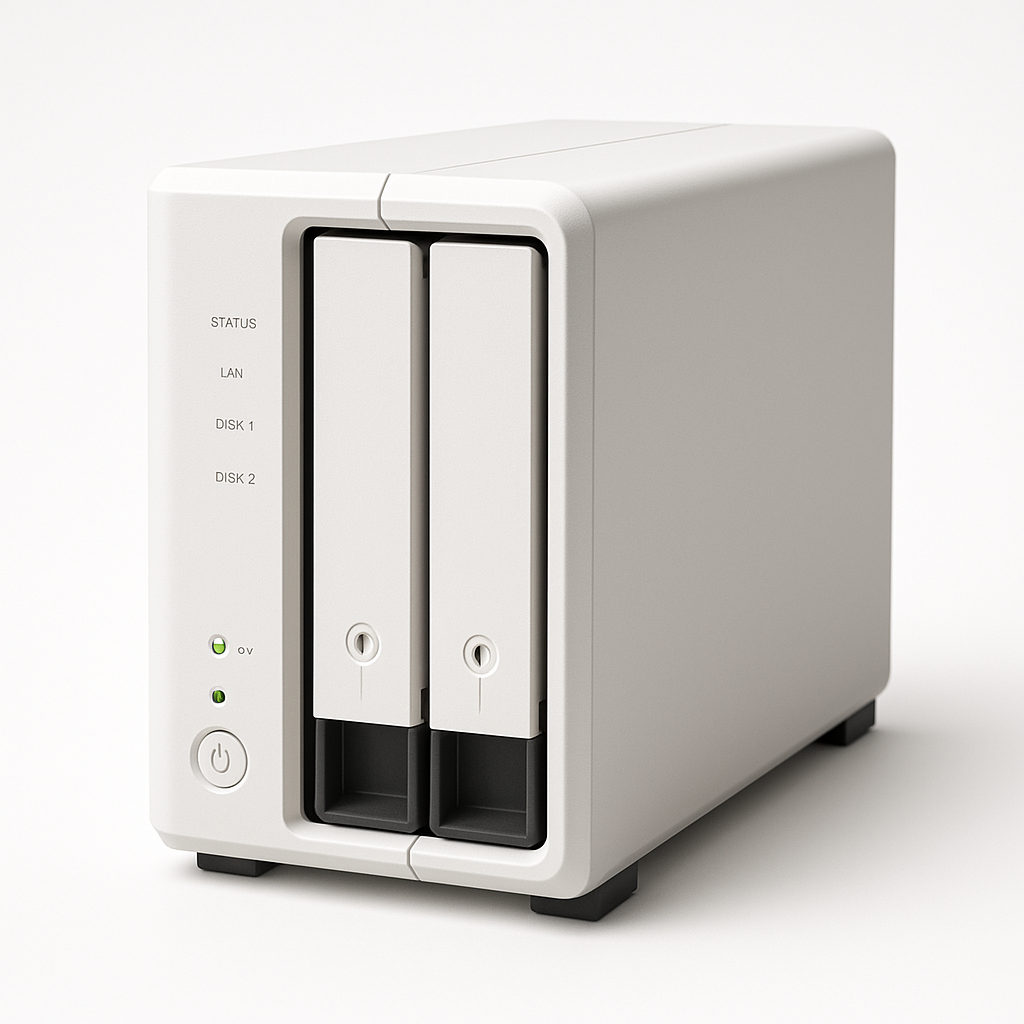
Best NAS for Home Lab UK 2025
Last updated: April 2025 | Tested in a real home lab alongside Home Assistant
If you also sell subscriptions and want a second opinion on retention, cancellation friction, or audit-ready flows, take the subscription retention audit. A NAS (Network Attached Storage) is the backbone of a serious home lab. It's where your backups live, where your media server runs, where your Docker containers call home. I've run NAS devices for years alongside my Home Assistant setup. Here's what's actually worth buying in the UK right now. Get the right one and it transforms how you think about your home infrastructure. Get the wrong one and it sits on a shelf gathering dust.
Running a subscription business alongside a home lab?
If your service depends on backups, media delivery, or a shared platform experience, the subscription retention audit can surface the friction that quietly costs renewals.
Book the auditQuick Comparison Table
| NAS | Bays | CPU | RAM | Docker | Best For | Price |
|---|---|---|---|---|---|---|
| Synology DS223 | 2-bay | Realtek RTD1619B | 2GB | ✅ Yes | Best 2-bay value | ~£270 |
| Synology DS423+ | 4-bay | Intel Celeron J4125 | 2GB (exp. 6GB) | ✅ Yes | Best performance | ~£530 |
| QNAP TS-233 | 2-bay | Cortex-A55 | 2GB | ✅ Yes | Alternative to Synology | ~£190 |
| WD My Cloud Home | 1-bay | ARM | 1GB | ❌ No | Simple personal cloud | ~£120 |
Prices are for diskless units where applicable. Add £40–120 per drive depending on capacity.
Why a NAS for Your Home Lab?
Before diving in, it's worth being clear about what a NAS actually does for a home lab versus just plugging an external hard drive into a Raspberry Pi.
Always-on, low-power storage — A proper NAS idles at 10–20W. It spins up drives when needed, spins them down when idle, and runs indefinitely without attention.
RAID for data protection — Two drives in RAID 1 (mirror) means a drive can fail and your data survives. With a single drive or external HDD, one failure = total loss.
App ecosystem — Synology's DSM and QNAP's QTS run Docker, Plex, Jellyfin, surveillance software, backup clients, and more. A NAS becomes a small server, not just storage.
Centralized backups — Time Machine for Mac, Windows backup, and manual device backups all route to one place. In a smart home, your Home Assistant configuration backups live here too.
If you're running Home Assistant, CCTV storage, media, or any self-hosted services, a proper NAS will make everything more reliable and easier to manage.
1. Synology DS223 — Best 2-Bay Value
➡️ Check current price on Amazon UK
The DS223 is the sweet spot in Synology's current lineup. Two drive bays, support for RAID 1, Docker via Container Manager, and the excellent DiskStation Manager (DSM) software — at a price that's genuinely accessible.
What Makes It Stand Out
DSM is the best NAS operating system available
Synology's DiskStation Manager is in a class of its own for usability. Package Centre gives you one-click installation of Plex, Jellyfin, Synology Photos, Download Station, and more. Container Manager (formerly Docker) is first-class. The UI is clean and genuinely intuitive.
For a home lab operator who wants power without complexity, DSM is the reason to choose Synology over everything else.
Two bays, RAID 1, sensible capacity options
Two bays with RAID 1 means you put in two identical drives and get redundancy. If one drive fails, you swap it and rebuild — no data lost. For the most common home lab use case (media + backups + Docker), two bays with 4–8TB each covers most people for years.
Docker / Container Manager
The DS223 supports Synology's Container Manager, which provides a GUI for running Docker containers. Portainer, Home Assistant (as a container backup), Nextcloud, Jellyfin — all deployable from a web interface without command-line expertise.
Quiet and energy-efficient
The DS223 runs quiet. One 92mm fan, intelligent spin-down, and a CPU that doesn't generate much heat. In a home office or living space, it's not intrusive.
Pros
- Excellent DSM software — best-in-class UI
- Docker / Container Manager support
- RAID 1 data protection
- Quiet operation
- Strong app ecosystem (Plex, Surveillance Station, Photos)
- Good UK pricing and availability
Cons
- 2 bays limits maximum storage capacity
- Realtek CPU — less powerful than DS423+ (fine for most use cases)
- RAM not user-expandable on DS223
- Drives sold separately (adds to cost)
Verdict
Best 2-bay NAS for most home lab users. The DS223 hits the sweet spot of capability, reliability, and price. Start here unless you have specific needs that demand 4 bays or more.
2. Synology DS423+ — Best Performance NAS
➡️ Check current price on Amazon UK
If the DS223 is the sensible choice, the DS423+ is the right choice if you're serious about your home lab. Four bays, an Intel Celeron processor, and expandable RAM up to 6GB — it's a proper small server.
What Makes It Stand Out
Intel processor = real transcoding
The DS423+ uses an Intel Celeron J4125 with hardware transcoding support. This is the difference between Plex running smoothly for two simultaneous 4K streams versus stuttering on 1080p. If you run a media server for more than one person, or handle video surveillance footage, the Intel CPU earns its premium immediately.
Four bays = RAID 5/6 possible
Four drives opens up RAID 5 — distribute data across drives with single-drive redundancy while maintaining more usable capacity than RAID 1. For a home lab managing large media libraries alongside system data, four bays is significantly more flexible.
Expandable RAM to 6GB
The DS423+ ships with 2GB RAM but accepts a 4GB SO-DIMM for 6GB total. More RAM means more Docker containers running simultaneously, snappier DSM performance, and better handling of concurrent users.
Surveillance Station without client limits
The DS423+ can run Synology's Surveillance Station with more camera streams than the DS223 can handle. If your home lab includes CCTV (PoE cameras, motion recording), the DS423+ is the right foundation.
Pros
- Intel Celeron CPU with hardware transcoding
- 4 bays for RAID 5/6 and larger storage pools
- RAM expandable to 6GB
- All DSM features, excellent app ecosystem
- Better suited to multi-user media serving and surveillance
Cons
- Significantly more expensive (~£530 diskless)
- Larger footprint and slightly higher power draw
- 4 drives adds considerable cost
- Overkill for a single-user home setup with modest storage needs
Verdict
Best performance NAS for serious home labs. If you're running Plex for family, 4+ CCTV cameras, and multiple Docker services, the DS423+ is worth every penny.
3. QNAP TS-233 — Best Alternative to Synology
➡️ Check current price on Amazon UK
QNAP is the other major player in consumer/prosumer NAS hardware. The TS-233 is their competitive 2-bay entry point — faster processor than the DS223 in some benchmarks, slightly more affordable, but with QTS software that doesn't quite match DSM.
What Makes It Stand Out
Cortex-A55 CPU with hardware encryption
The TS-233's Cortex-A55 handles encrypted file transfers well, which matters if you're running encrypted shared folders or VPN tunnels. File copy performance is solid for a 2-bay NAS.
Container Station (Docker)
QNAP's Container Station supports Docker and has improved significantly in recent years. It's not quite as polished as Synology's Container Manager, but it's capable and covers the core use cases.
More affordable entry point
At ~£190, the TS-233 is meaningfully cheaper than the DS223. If budget is the primary constraint and you're comfortable with a slightly steeper learning curve, QNAP delivers a capable device for less.
QNAP's software has improved
QTS (QNAP's OS) has historically lagged behind DSM in polish and security. QNAP has made genuine improvements, but the historic reputation for vulnerabilities should factor into your decision if security is paramount.
Pros
- Lower price than Synology equivalents
- Docker via Container Station
- Decent file transfer performance
- Active development and updates
- Supports third-party apps
Cons
- QTS software less polished than DSM
- Historical security vulnerabilities (improve your firmware hygiene)
- Smaller app ecosystem vs Synology
- Less community support/documentation
Verdict
Best QNAP option for budget-conscious home lab builders. If price is the deciding factor and you're comfortable with a more hands-on approach, the TS-233 is a capable machine.
4. WD My Cloud Home — Best for Simple Personal Cloud
➡️ Check current price on Amazon UK
The WD My Cloud Home is not really a home lab NAS — it's a personal cloud storage device. I'm including it because it comes up in searches and it's important to understand what it is and isn't.
What It Is
A pre-loaded drive with WD's My Cloud OS, designed for personal file backup and remote access. Plug in, connect to WD's app, access files remotely. Simple.
What It Isn't
It's not a platform. There's no Docker, no Container Manager, no app ecosystem, no RAID. WD has removed many of the power features from recent My Cloud Home versions. If you're thinking about this as a home lab foundation, think again.
Pros
- Extremely simple setup
- Low price for storage capacity
- Remote access works reliably
- Good mobile app
Cons
- No Docker/container support
- No RAID — single drive failure = data loss
- Very limited app ecosystem
- Not suitable for home lab workloads
- WD has a patchy track record with My Cloud software updates
Verdict
Only for simple personal backup/remote access. Not suitable for a home lab. If you want to self-host, build Docker stacks, or run media servers, get a Synology DS223 instead.
What Hard Drives Should You Buy?
The NAS is the chassis — the drives are where your data actually lives. In 2025:
Western Digital Red Plus — Designed for NAS, handles 24/7 operation and vibration from multiple drives. My recommendation for most home labs.
Seagate IronWolf — WD Red's main competitor. Slightly lower price at larger capacities. Both are solid options.
Capacity: Start with at least 4TB per drive. 8TB drives offer the best price-per-TB for most users. Don't use laptop/desktop drives in a NAS long-term.
Home Lab Integration with Home Assistant
Running a NAS alongside Home Assistant unlocks useful integrations:
Configuration backups — Home Assistant backs up automatically to a network share. One bad update won't lose your setup.
CCTV storage — Camera recordings from Frigate (local AI security) or Surveillance Station store to the NAS, not a local SD card.
Centralized logging — Pipe logs from your smart home devices to InfluxDB or a log aggregator running in a Docker container on the NAS.
Nextcloud — Run your own Google Drive replacement from a Docker container, syncing files across all devices.
For a full smart home setup guide including NAS integration: Home Assistant Guide and Home Automation Starter Checklist.
Where to Buy
| NAS | Amazon UK Link |
|---|---|
| Synology DS223 (diskless) | Buy on Amazon |
| Synology DS423+ (diskless) | Buy on Amazon |
| QNAP TS-233 (diskless) | Buy on Amazon |
| WD My Cloud Home | Buy on Amazon |
| WD Red Plus 4TB (drives) | Buy on Amazon |
| Seagate IronWolf 4TB (drives) | Buy on Amazon |
FAQ
What is the best NAS for a UK home lab in 2025?
The Synology DS223 is the best NAS for most UK home lab users in 2025. It offers two drive bays, RAID 1 data protection, Docker container support, and the excellent DSM operating system — at a price that's accessible for home users. For more demanding workloads (multiple 4K streams, 4+ drives, more Docker containers), the Synology DS423+ is the step up.
Do I need a NAS or can I just use a Raspberry Pi with an external drive?
A Raspberry Pi with an external drive is cheaper but significantly less capable and less reliable. NAS devices offer proper RAID, hot-swap drive support, purpose-built OS with app ecosystems, and hardware designed for 24/7 operation. A Raspberry Pi works for experimentation; a NAS is the right choice for data you care about.
What's the difference between Synology and QNAP?
Both make capable NAS hardware. Synology's DSM software is widely considered the best NAS OS for ease of use, reliability, and app quality — it's the primary reason to choose Synology. QNAP's QTS has improved but historically has had more security vulnerabilities and a steeper learning curve. For most home lab users, Synology is the safer choice; QNAP is worth considering if specific hardware specs or price points align.
Can I run Home Assistant on a NAS?
Yes — you can run Home Assistant as a Docker container on a Synology or QNAP NAS using Container Manager / Container Station. This is a viable option, though running Home Assistant on a dedicated device (like a mini PC or Intel NUC) typically gives better performance and easier management. The NAS is better used as a storage and services complement to a dedicated Home Assistant host.
How many drive bays do I need?
2 bays covers most home users — RAID 1 for redundancy with plenty of storage capacity. 4 bays is worth it if you need RAID 5 (better storage efficiency with redundancy), large media libraries, or multiple services running simultaneously. Start with 2 bays unless you have a specific reason to go larger.
Ready to Build Your Home Lab?
A NAS is one piece of the puzzle. Here's where to go next:
→ Home Automation Starter Checklist — The complete guide to building a smart home infrastructure from scratch.
→ Home Assistant Guide — Set up the most powerful open-source home automation platform, with NAS integration included.
→ SONOFF Zigbee PoE Controller Review — The Zigbee coordinator that sits alongside a NAS in a complete home lab setup.
Disclosure: Some links are Amazon affiliate links. As an Amazon Associate I earn from qualifying purchases — at no extra cost to you. All reviews are based on real-world testing and independent opinion.